
UX/UI Design &
Product Thinking skills
Learn how to design intuitive digital experiences — from user research and
wireframing to high-fidelity interfaces, design systems, prototyping,
and real-world product workflows.
UX/UI Design Foundations: Zero → Job-Ready
Go from complete beginner to confidently designing modern digital products
with UX research, interface design, and real portfolio projects.
UX/UI Design Foundations: Zero → Job-Ready
Go from complete beginner to confidently designing modern digital products
with UX research, interface design, and real portfolio projects.
Who Should Join This Bootcamp?
Complete Beginners
No design background needed. Start from zero and learn modern UX/UI design step by step.
Career Switchers
Transition into product design with practical projects and portfolio-ready work.
Developers & Product Builders
Learn product thinking, UX strategy, and interface systems to build better digital products.
Creative Professionals
Upgrade your visual communication skills with modern UI systems, UX workflows, and Figma mastery.
Bootcamp Agenda
Foundations of UX & UI Thinking
Week 1–2Students learn how digital products are designed and how visual communication shapes user experience.
- UX vs UI fundamentals
- Product thinking basics
- Color theory & hierarchy
- Typography & visual systems
- Atomic Design & usability heuristics
Figma Mastery & UI Habits
Week 3–4Students build strong UI workflows inside Figma and learn responsive design foundations.
- Figma interface deep dive
- Layout systems & grids
- Components & Auto Layout
- Responsive UI principles
- UI patterns & replication exercises
UX Research & Product Thinking
Week 5–6Students conduct research and turn user insights into practical design decisions.
- UX research strategy
- Surveys & interviews
- Affinity mapping
- Personas & empathy maps
- User journey mapping
Mobile UX & Core Patterns
Week 7–8Students design complete mobile experiences using industry-standard UX patterns.
- Mobile-first design
- iOS vs Android patterns
- Onboarding & signup flows
- Forms & input systems
- Cards, menus & modals
Information Architecture & Systems
Week 9–10Students organize information clearly and structure scalable navigation systems.
- Information architecture principles
- Navigation psychology
- Taxonomy & tree testing
- Pricing & checkout patterns
- SaaS navigation systems
Design Systems & Developer Handoff
Week 11–12Students build reusable design systems and prepare files for engineering collaboration.
- Design token systems
- Primitive & semantic tokens
- Component organization
- Figma-to-development workflows
- Developer handoff basics
Project 1 — Mobile UX Case Study
Research-driven mobile product experience with wireframes, flows, and prototype.
Project 2 — Design System
Build a scalable component and token system inside Figma.
Project 3 — Complete Product Design Showcase
Design a full product suite — both mobile and web — polished and ready for your portfolio and presentations.
- 1 Mobile Application
- 1 Responsive Website
- Both projects will be portfolio-ready and presentation-ready by the end of the bootcamp
Tools & Platforms
 Figma
FigJam
Figma Slides
Figma
FigJam
Figma Slides
 Maze
Maze
 Clarity
 Google Analytics
After the Bootcamp
Graduate with a certificate, a new skill you can apply immediately, and a growing network of designers
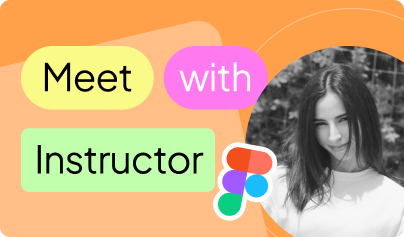
Product Designer with 4+ years of experience designing web, mobile, SaaS, and AI-powered products across 10+ industries. Passionate about helping students build practical design skills, strong product thinking, and portfolio-ready projects using modern industry workflows.
Everything you might
want to know
Find answers to the most common questions about our programs,
learning process, and what to expect at Vita Academy.
Who is this webinar for?
Anyone interested in AI, automation, and the future of technology.
What will I learn during the webinar?
You’ll learn how AI agents work, how businesses use automation today, and how AI can simplify daily tasks.
Will there be a live demo?
Yes. You’ll see a live demo of AI agents working in a real business environment.
Do I need technical knowledge to join?
No. The webinar is designed for both beginners and professionals.
Is the webinar free?
Yes, participation is completely free.
Where will the webinar take place?
The webinar will be held online via Zoom.

Think like Isaac Newton.
Innovate like Nikola Tesla.
Contribute like Lutfuzadeh.



Phone number
+994 (70) 600 87 77

Phone/Whatsapp
+994 (70) 600 87 77

Location
56A Bulbul Ave, Baku
Bootcamps
Academy
Career Boost


